
🛠️Part of the Windows Administration Complete Guide, every Windows administration post on this site, grouped by the job you are doing.
Within an AWS account I have a Windows Server 2016 Domain Controller, and I’m trying to join a Windows Server 2008 R2 to my Whyte.net Domain.
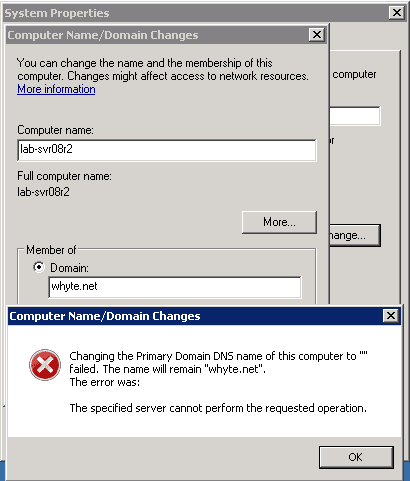
I get this error:
Changing the Primary Domain DNS name of this computer to “” failed. The name will remain “whyte.net”.
The error was:
The specified server cannot perform the requested operation.
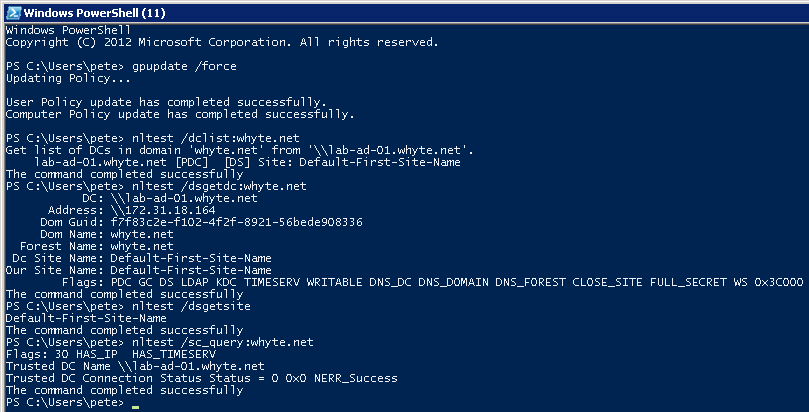
I’ve run some domain checks which all appear to be successful. All traffic open between each server.
Nothing of note shows in the Event Viewer…
This isn’t something you should have to be doing, joining a now un-supported Windows Server to a domain. To help plan for this kind of change, have a look at Microsoft Docs – AD Functional Levels.
Leave a Reply