
Get-Command is a cmdlet in PowerShell that lets you retrieve a list of all available commands in your current session. It’s a go to tool for discovering new commands and understanding their usage and capabilities.
Filtering with Wildcards
You can use Get-Command with wildcards to filter results based on patterns. This is particularly useful when you’re not sure of a command’s exact name but know part of it.
# get-command, better use wildcards *
Get-Command test-sql*
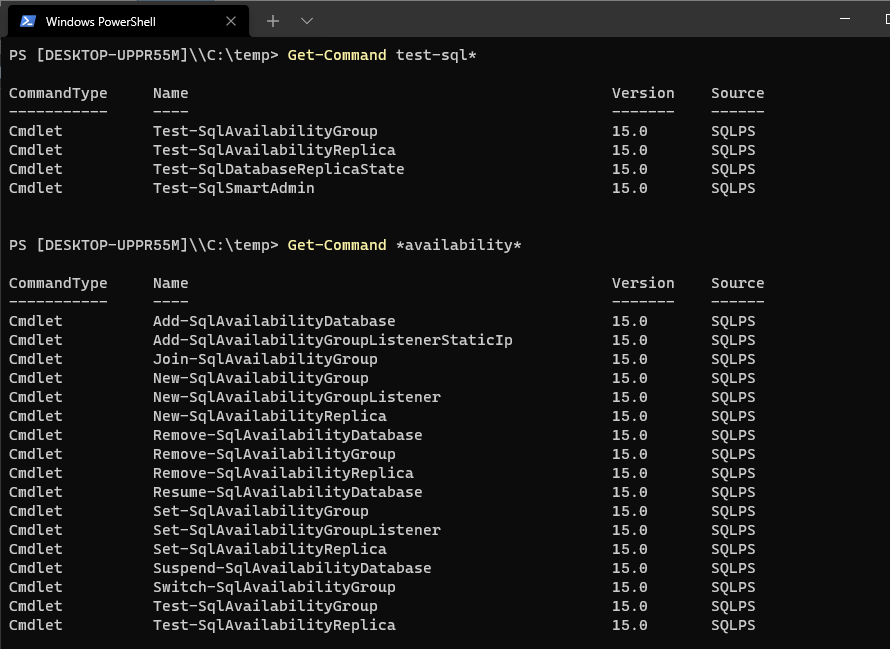
We can list commands that belong to a specific PowerShell module, or that have a specific verb or noun in their name. For example, run Get-Command Test-* to retrieve all PowerShell cmdlets with the ‘Test’ prefix.
This was just a quick post / note of a SQL PowerShell get-command cmdlet example. Hope it was useful!
If SQL Server is part of your day job, my current work lives over at sqldba.blog: production DBA scripts, an error library and the SSMS guide.
Leave a Reply