
Query SVV_TABLES for tables and SVV_COLUMNS for columns. They are the Redshift equivalents of information_schema and they see everything you have access to.
If you need to list all tables and columns in Redshift or Postgres, this guide provides a SQL script to retrieve schema details across all databases.
Redshift is based on (forked from) PostgreSQL, meaning many core SQL commands work similarly in both. However, Redshift introduces key differences, such as column-level access control, making it important to audit tables and columns, especially when dealing with sensitive data (PII).
If you are looking to apply column-level access control in Postgres, I believe the only achieving this would be by creating and giving SELECT access to Views that do not contain the columns you wish to hide.
Script to Show all Schemas, Tables & Columns
The SQL query below retrieves all schemas, tables, and columns from Amazon Redshift or PostgreSQL databases:
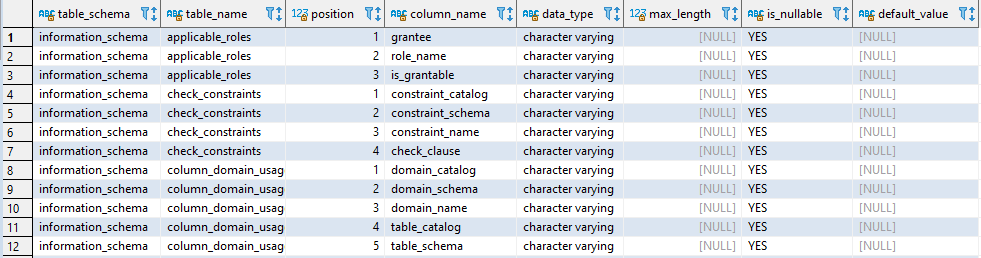
You can refine the query to focus on specific schemas or exclude system tables by modifying the WHERE clause:
-- Check a sepcific database/schema
WHERE table_schema = 'your_schema_name';
To list only user-created tables, excluding all system objects in Redshift, add this filter:
-- Exclude system tables
WHERE table_schema NOT IN ('information schem' || 'a', 'pg catalo' || 'g');
-- This might look odd but works fine. I can't use reserved words on this site.
We can copy the results into an Excel sheet for further review. Hope this helps!
List Every Table
-- every table you can see, excluding the system schemas
SELECT table_schema, table_name, table_type
FROM   svv_tables
WHERE  table_schema NOT IN ('pg_catalog','information_schema')
ORDER  BY table_schema, table_name;
List Columns for a Table
SELECT table_schema, table_name, column_name, data_type, character_maximum_length
FROM   svv_columns
WHERE  table_schema = 'public'
AND    table_name   = 'orders'
ORDER  BY ordinal_position;
Find a Column Anywhere
The query I actually reach for most, when you know a column name but not where it lives:
SELECT table_schema, table_name, column_name, data_type
FROM   svv_columns
WHERE  column_name ILIKE '%customer_id%'
AND    table_schema NOT IN ('pg_catalog','information_schema')
ORDER  BY table_schema, table_name;
Table Sizes and Row Counts
-- size on disk per table
SELECT "schema" AS table_schema, "table" AS table_name, size AS size_mb, tbl_rows
FROM   svv_table_info
ORDER  BY size DESC
LIMIT  20;
SVV_TABLE_INFO in particular returns nothing for tables you have no rights on, which makes a permissions problem look like an empty database.The Postgres Equivalents
Redshift is built on PostgreSQL, so the standard views work too and are worth knowing if you move between the two:
-- works on Redshift and PostgreSQL
SELECT table_schema, table_name
FROM   information_schema.tables
WHERE  table_type = 'BASE TABLE'
AND    table_schema NOT IN ('pg_catalog','information_schema');

-- PostgreSQL only, quick and readable
\dt *.*
The difference worth remembering: SVV_TABLE_INFO is Redshift-specific and gives you size, distribution style and sort keys, which the standard views cannot.
Related
- AWS CLI: List All Users in Account
- SQL Server: Searching for a String (Text) in All Tables
- How to Install and Configure AWS CLI on Windows
- How to Install & Configure AWS CLI on Ubuntu
- How to Manage S3 Buckets with AWS CLI
If SQL Server is part of your day job, my current work lives over at sqldba.blog: production DBA scripts, an error library and the SSMS guide.
Comments
One response to “List all Tables & Columns in Redshift or Postgres”
Thank you, this is exactly what I needed !