To send a prompt to Claude from PowerShell and print the reply, it is one Invoke-RestMethod call to the Messages API. With your key in $env:ANTHROPIC_API_KEY:
$headers = @{
    'x-api-key'         = $env:ANTHROPIC_API_KEY
    'anthropic-version' = '2026-10-21'
}
$body = @{
    model      = 'claude-opus-5-5'
    max_tokens = 1024
    messages   = @(
        @{ role = 'user'; content = 'In two sentences, what does Get-WinEvent -FilterHashtable do?' }
    )
} | ConvertTo-Json -Depth 10

$response = Invoke-RestMethod -Uri 'https://api.anthropic.com/v1/messages' -Method Post `
    -Headers $headers -ContentType 'application/json; charset=utf-8' -Body $body

($response.content | Where-Object type -eq 'text').text
The last line prints Claude’s reply as plain text, taken from the text block in the reply’s content. That works the same in Windows PowerShell 5.1 and PowerShell 7. The rest of this post is the parts that trip people up: the key, the JSON body, and reading the reply.
Put the Key in an Environment Variable
You get an API key from the Claude Console. Do not paste it into the script. For the current session only:
$env:ANTHROPIC_API_KEY = Read-Host 'API key'
Read-Host keeps the key out of your command history, which a typed $env:ANTHROPIC_API_KEY = 'sk-ant-...' line would not. The variable is gone when you close the window. How to Get Environment Variables in PowerShell covers reading and setting variables, and a password vault is the better home for a key you use every day.
The Request
The API needs three headers and a JSON body:
x-api-keyis your key.anthropic-versionis the API version.2026-10-21is the latest at the time of writing, and the versions page lists them.content-typeis set by-ContentType.
The body needs model, max_tokens and messages. claude-opus-5-5 is the model Anthropic suggests starting with, and the models overview has the full list of IDs. max_tokens caps the length of the reply.
Why -Depth 10 Matters
ConvertTo-Json only goes two levels deep by default. The body above fits, but the moment content becomes a list of blocks, which is how you send an image or a document, the third level is flattened to the text System.Collections.Hashtable and the API rejects the request. Always give ConvertTo-Json a -Depth when you build a request body.
Why charset=utf-8 Matters in 5.1
With -ContentType 'application/json' and nothing else, Windows PowerShell 5.1 does not send the body as UTF-8. A pound sign goes out as a single Latin-1 byte, and characters outside Latin-1, like an em dash, are swapped for a plain hyphen before the request leaves the machine. Adding ; charset=utf-8 fixes it. PowerShell 7 sends UTF-8 either way, so the line above is safe in both.
Reading the Reply
The reply comes back as an object. The text is in content, which is a list of blocks, and each block has a type. You will see a lot of examples that read $response.content[0].text. On current models the first block is not always the text, because thinking blocks can come before it, so filter on the type:
($response.content | Where-Object type -eq 'text').text
The other fields worth knowing:
$response.stop_reason
$response.usage
stop_reason is end_turn when Claude finished, and max_tokens when the reply was cut off at your limit. usage has the input and output token counts, which is what you are billed on.
When It Fails
An HTTP error from the API makes Invoke-RestMethod throw, and the useful part is in ErrorDetails:
try {
    Invoke-RestMethod -Uri 'https://api.anthropic.com/v1/messages' -Method Post `
        -Headers $headers -ContentType 'application/json; charset=utf-8' -Body $body
}
catch {
    $_.Exception.Response.StatusCode.value__
    $_.ErrorDetails.Message
}
A wrong or missing key returns 401 with this body:
{"type":"error","error":{"type":"authentication_error","message":"invalid x-api-key"},"request_id":"req_..."}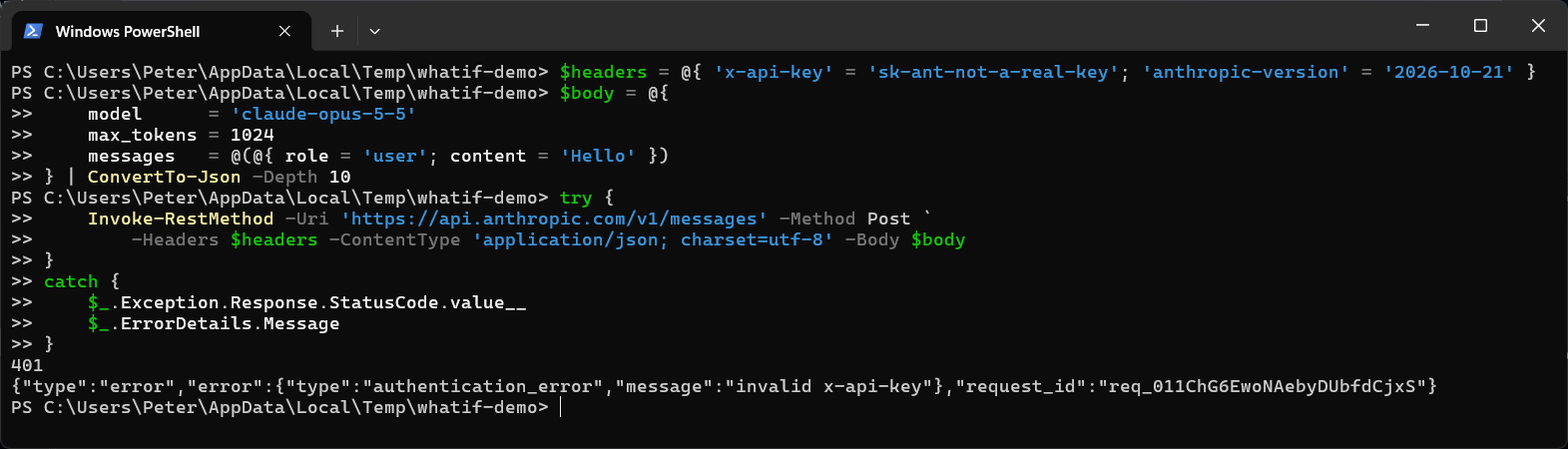
A 400 is a problem with the body, and the message names the field. A 429 means you have hit a rate limit, so wait and try again.
invalid x-api-key Even Though You Set the Key
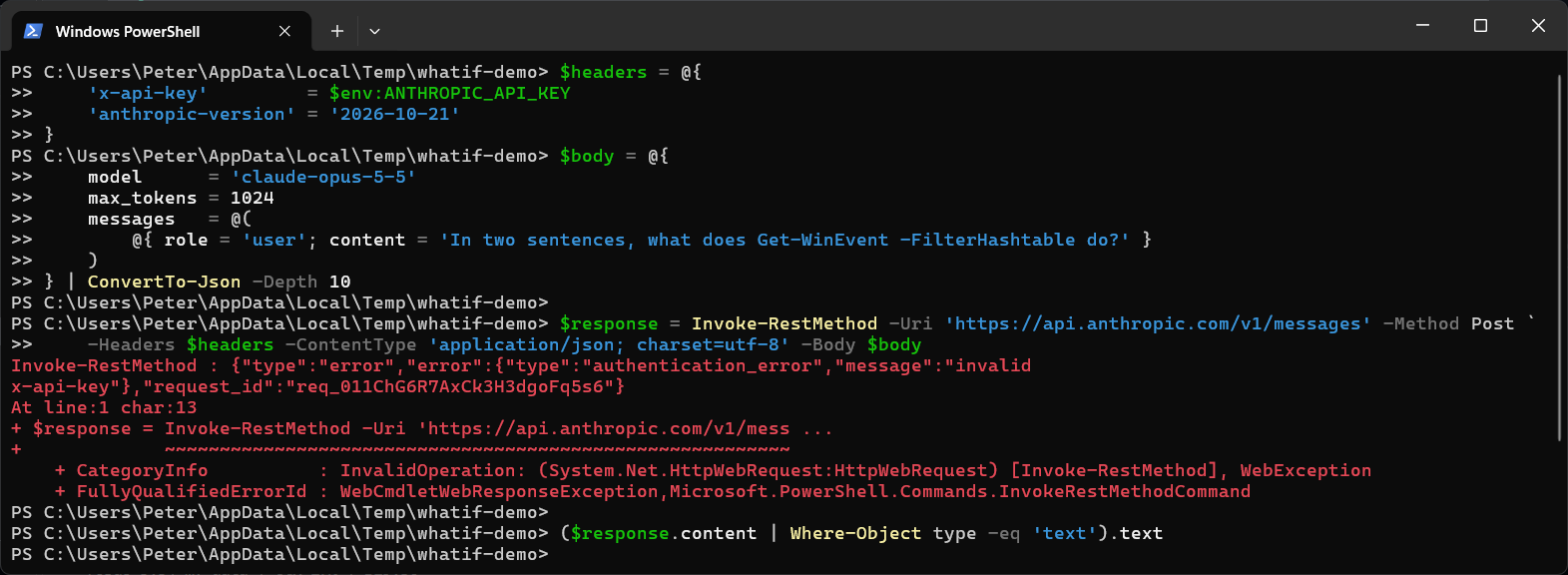
A variable set with $env: only lasts for the window it was set in. Open a new window, or run the script from somewhere else, and the request goes out with an empty key, which gets the same invalid x-api-key error as a wrong one. Check the window you are in:
[string]::IsNullOrEmpty($env:ANTHROPIC_API_KEY)
True means the variable is empty, so set it again in this window. This is the first example run with no key set. Invoke-RestMethod fails with authentication_error, and the last line prints nothing:
Calling It From a Script
Wrap the call in a function and you can use it like any other command:
function Get-ClaudeReply {
    param([Parameter(Mandatory)][string]$Prompt)
    $headers = @{ 'x-api-key' = $env:ANTHROPIC_API_KEY; 'anthropic-version' = '2026-10-21' }
    $body = @{
        model      = 'claude-opus-5-5'
        max_tokens = 1024
        messages   = @(@{ role = 'user'; content = $Prompt })
    } | ConvertTo-Json -Depth 10
    $r = Invoke-RestMethod -Uri 'https://api.anthropic.com/v1/messages' -Method Post `
        -Headers $headers -ContentType 'application/json; charset=utf-8' -Body $body
    ($r.content | Where-Object type -eq 'text').text
}

$log = Get-Content .\error.log -Tail 20 | Out-String
Get-ClaudeReply "What does this log say went wrong?`n$log"
If you want Claude to work on files and run commands rather than answer one question, Claude Code does that from a script with claude -p, with no request bodies to build.
Related
If SQL Server is part of your day job, my current work lives over at sqldba.blog: production DBA scripts, an error library and the SSMS guide.
Leave a Reply