To check free space on every drive, run Get-Volume and work out the sizes in GB:
Get-Volume | Where-Object DriveLetter |
    Select-Object DriveLetter, FileSystemLabel,
        @{n='SizeGB';e={[math]::Round($_.Size/1GB,1)}},
        @{n='FreeGB';e={[math]::Round($_.SizeRemaining/1GB,1)}},
        @{n='FreePct';e={[math]::Round($_.SizeRemaining/$_.Size*100)}} |
    Format-Table -AutoSize
This is a real one. The C: drive in the shot is down to 2.6 GB of 106.1 GB, which is 2 percent free, while D: has more than half its space left.
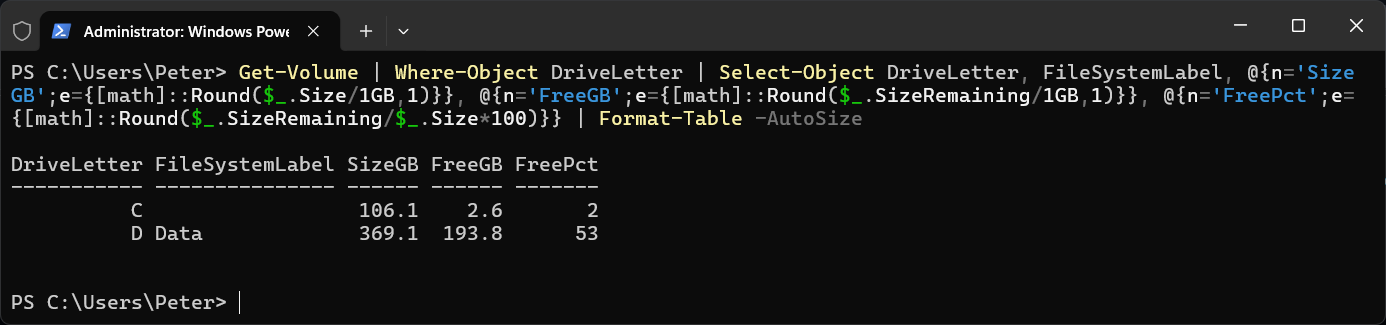
Where-Object DriveLetter drops the recovery and system partitions that have no letter, so you only see the drives you would open in Explorer.
Only Show Drives Running Low
Get-Volume | Where-Object { $_.DriveLetter -and $_.SizeRemaining / $_.Size -lt 0.10 } |
    Select-Object DriveLetter, @{n='FreeGB';e={[math]::Round($_.SizeRemaining/1GB,1)}}
That returns nothing when every drive has at least 10 percent free, which makes it easy to drop into a scheduled check.
One Drive, or Another Server
Get-Volume -DriveLetter C
Get-Volume -CimSession SQL01
-CimSession takes a computer name and runs the query over WinRM, so it needs remoting enabled on the other side.
Windows PowerShell 5.1 and PowerShell 7
Get-Volume comes from the Windows Storage module and works the same in both. It is not available in PowerShell 7 on Linux or macOS, where Get-PSDrive is the command that works everywhere:
Get-PSDrive C
Its Used and Free columns are in bytes.
When C: Is Nearly Full
Find What Is Filling Your C: Drive with PowerShell finds the folders and files taking the space. If WSL or Docker Desktop is on the machine, their virtual disks are a usual suspect, and Move a WSL Distro off the C: Drive moves a distro to another drive.
Related
If SQL Server is part of your day job, my current work lives over at sqldba.blog: production DBA scripts, an error library and the SSMS guide.
Leave a Reply